Game jams: tips for beginners, from a beginner
Depending on the theme and the type of game you want to make, you may think you need to already know how to program, how to build assets, and how to create a compelling gameplay experience with the tools you have. I decided to try and create a bomb timer to fit the theme of the game jam. text = state.
Game jams can be seen as events that are only for people who already have the skills to build a game from scratch. Depending on the theme and the type of game you want to make, you may think you need to already know how to program, how to build assets, and how to create a compelling gameplay experience with the tools you have. Fortunately, all you need is a motivation to learn something new!
For people like me, with little to no programming experience, they can initially seem a little intimidating. With a clear goal at the end though, there is no reason why game jams cannot be used as a project for your learning experience. You might not have something very complex by the end, and you may not even have a finished game. That’s not important! If your goal is to use a game jam as a learning experience, then the best thing you can do is take away more knowledge than you went in with.
I participated in the recent GameDev.tv Community Jam as a fresh game developer, and in my case, I wanted to use the experience alongside my progression through the 2D Unity course. At the time, I had only spent about a week working on very basic C# content, with a few months worth of Blender practice, so I knew how to navigate the courses and what to expect.
I wasn’t going into this with an expectation of creating a game outside of the course content, because it would be taking too much on, and at a very early stage. Instead, I decided to use the experience to work through the content at my own pace, while trying to add extra features of my own.
I didn’t upload my game in the end because I felt it was too similar to the stuff in the course, but I came away with some useful coding experience despite my lack of coding experience. Knowing how to set achievable and realistic targets is key to avoiding procrastination and eventually giving up. Next time, I hope to have a few practice projects under my belt so I can try a game from the ground up – or at the very least, help other teams with some extra 3D assets.
Pacing yourself – and your skills
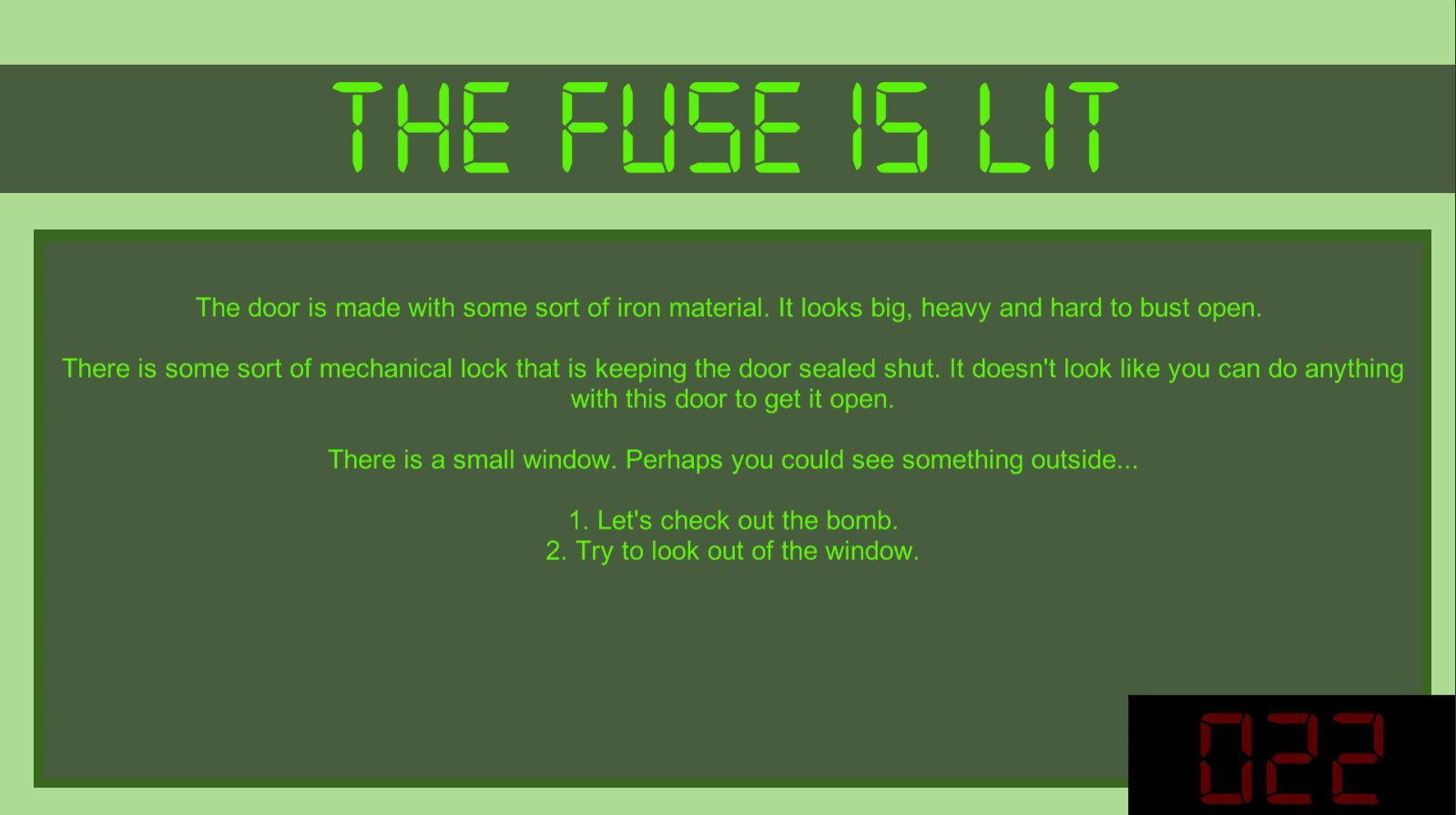
I had to balance a full-time job alongside the 2D Unity course, so I only had so much time to build upon and enhance the projects. I decided to try and create a bomb timer to fit the theme of the game jam.
While learning how to create a text-driven game that handles multiple choices, I also wanted to build on that with an additional idea of my own to try and challenge myself and do some self-study.
To achieve this, I had to make use of some of the resources introduced in the course as well as some helpful YouTube tutorials that show how to create the basics of what I need.
Eventually, with help from this video, I found a way to cobble together a timer that managed to count down from a certain point in time, unchanged by scene changes to keep it simple enough for me to implement. I wanted the timer to trigger a separate game over scene when it reached zero, as well.
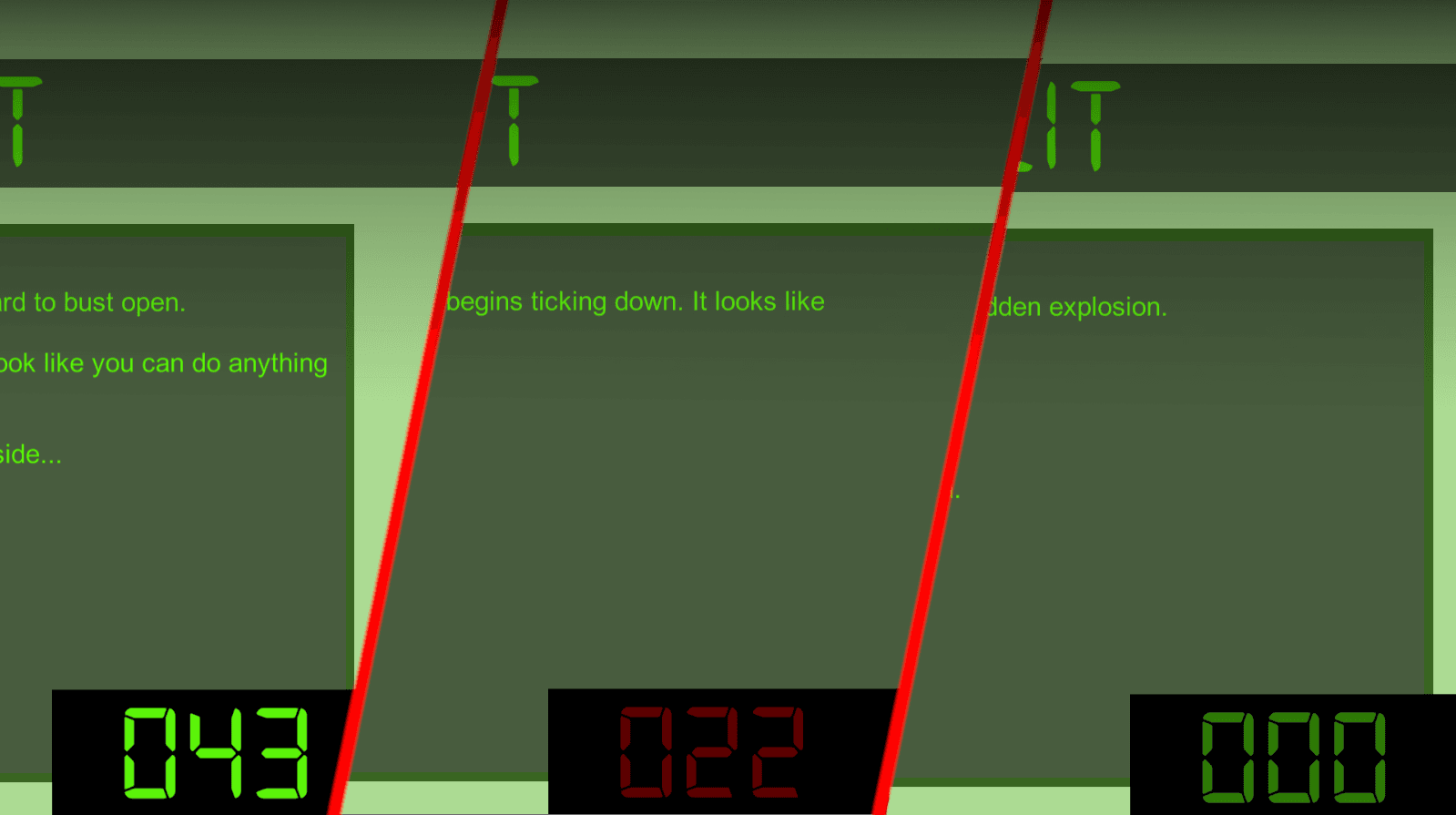
If you're interested, scroll to the end of this post for the code. There are likely alternative ways to get to the same end goal, but so long as your code isn't throwing up any errors, I wouldn't worry about it at this stage!
The important thing to take away from this is that I wanted to add something extra, but I also wanted to achieve a realistic goal. Considering I only started learning C# shortly after the jam had begun, and that I also work full-time hours, I wanted to take small steps rather than trying to create the next masterpiece video game!
Working with others
On this occasion I worked alone, and I think that hampered me. It was too easy to become stuck in a rut and procrastinate a little, whereas in a team you’ll be able to bounce ideas off of other people and learn how something may be solved.
I had the freedom to work on my own project, but that came at the expense of having teamwork. I neglected the look and feel of my game because my core task was trying to get the mechanics to work correctly, and if I had worked with some other group members I could have implemented other things like a fancy 3D background or really neat pixel fonts and artwork.
Do not be scared to work with others – the community is very welcoming and everyone is here to learn! Even the smallest bit of help you lend to another team can help them out through giving them one less thing to worry about.
Eating and resting well
This definitely applies more to game jams that only last for a couple of days – the first ever game jam I tried in my hometown was a 48-hour slog – but month-long events may also fall into some period of crunch as the deadline looms.
Ensuring you maintain a healthy approach to work will mean you won’t burn out or suffer from a sugar crash. Yes, it’s very easy to fall into a habit of living on sugar, coffee and pizza – but combine that with a lack of exercise, and you’ll be feeling incredibly rubbish in the run-up to the deadline, as well as for a period afterwards.
Encourage your teammates to get some rest, take sufficient breaks and to eat some green things every now and then.
Timing is key
You will likely run out of time to do everything you want. Instead, plan for creating a project and bringing to completion in a shorter time frame than you are actually given – this will give you some wriggle room in case you are in need of extra time.
This may mean that your project may be more bare-bones than you initially suspect – but that is okay! If you find yourself with time left over after creating the core of the game, then you can start implementing the nice-to-have extra features.
It’s a daunting experience to throw yourself into a game dev challenge, but nobody is expecting the next blockbuster to come from a game made in a matter of days. It is all about learning new things with other people who share your interest. Who knows, you might want to keep your team together for games that aren’t restricted to a theme or a time limit.
My code is below. This allowed me to create a timer that resets if the player runs out of time while playing. I plan to build on this later by stopping the timer if a win condition is achieved - perhaps you have other suggestions?
using System;
using System.Collections;
using System.Collections.Generic;
using UnityEditorInternal;
using TMPro;
using UnityEngine;
using UnityEngine.UI;
public class AdventureGame : MonoBehaviour

{
[SerializeField] Text textComponent;
[SerializeField] States introState;
[SerializeField] States startingState;
[SerializeField] States endingState;

float currentTime;
[SerializeField] float startingTime;
[SerializeField] TextMeshProUGUI countdownText;


States state;
bool outOfTime = false;

// Start is called before the first frame update
void Start()
{
    StartGame();
}

private void StartGame()
{
    state = introState;
    currentTime = startingTime;
    textComponent.text = state.GetStateStory();
    outOfTime = false;
}

// Update is called once per frame
void Update()
{
    ManageState();
    ManageTime();
}

public void ManageState()
{
    var nextStates = state.GetNextStates();

    for (int index = 0; index < nextStates.Length; index++)
    {
        if (Input.GetKeyDown(KeyCode.Alpha1 + index))
        {
            state = nextStates[index];
        }
    }

    if (outOfTime == true)
    {
        if (Input.GetKeyDown(KeyCode.R))
        {
            StartGame();
        }
    }

    textComponent.text = state.GetStateStory();
}
public void ManageTime()
{
    if (state != introState)
    {
        currentTime -= 1 * Time.deltaTime;
        countdownText.text = currentTime.ToString("000");

        if (currentTime <= 0)
        {
            currentTime = 0;
            countdownText.color = Color.grey;
            OutOfTime();
        }

        else if (currentTime <= 30)
        {
            countdownText.color = Color.red;
        }
    }
}
public void OutOfTime()
{
    outOfTime = true;
    state = endingState;
    currentTime = 0;
}

}


